Run Docker Commands as One-Click Buttons
If your home server runs apps in Docker — Jellyfin, Immich, Pi-hole, Nextcloud, the *arr stack — you live with a handful of docker commands you keep retyping: list what's running, restart a container, check logs, update the stack. They're not hard, but they're easy to fumble and annoying to type over and over.
Commandeck turns each of those into a button. Click it, the command runs (on this computer or on your server over SSH), and the output appears in a window.
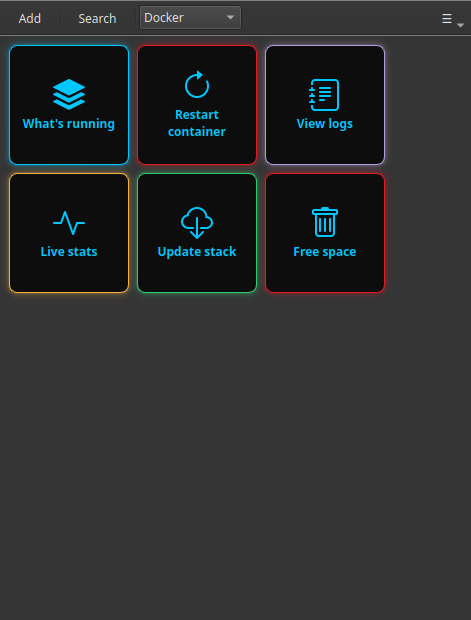
The Docker commands worth turning into buttons
| Task | Command | Suggested mode |
|---|---|---|
| See what's running | docker ps |
Show output |
| See everything (incl. stopped) | docker ps -a |
Show output |
| Restart a container | docker restart jellyfin |
Silent + Confirm |
| View a container's logs | docker logs --tail 100 jellyfin |
Show output |
| Live resource usage | docker stats --no-stream |
Show output |
| Update a compose stack | docker compose pull && docker compose up -d |
Show output + Confirm |
| Free up disk space | docker system prune -f |
Show output + Confirm |
| Disk used by Docker | docker system df |
Show output |
The "update the stack" button is the one people love most — it pulls the newest images and restarts everything, in one click instead of two commands typed in the right order.
Make a "Docker" category
Create the buttons above and set each one's Category to Docker. They'll group together under a single entry in the category dropdown, so all your container controls sit in one tidy place.
For the example commands, replace jellyfin with your own container name (docker ps shows you the names).
One button for any container
With a command variable, a single Restart container button can ask which container each time — type or pick the name, and it runs docker restart {{container}}. One button covers them all.
Run them on your server, not just locally
Docker usually runs on your server — the NAS or mini-PC — not on your laptop. Point the buttons at that machine and they run over SSH, so you manage your containers from the desktop you sit at.
Remote = Pro
Running buttons on another machine over SSH is Commandeck Pro — $29 one-time, lifetime, 14-day free trial (no card). Buttons that run Docker on this computer work on the free version.
Why buttons beat retyping
- The right command, in the right order, every time — especially the two-step "update the stack".
- No memorising container names or flags — they're baked into the button.
- A confirmation prompt on the destructive ones (
prune, restarts) so nothing happens by accident. - Private — no account, no cloud, no telemetry; the command goes straight to your machine.
Build the category once, and your whole Docker setup becomes a panel of buttons anyone in the house could use.
Related: see the Home Server Management guide for the full setup, or the Development Workflow guide if these are dev containers.